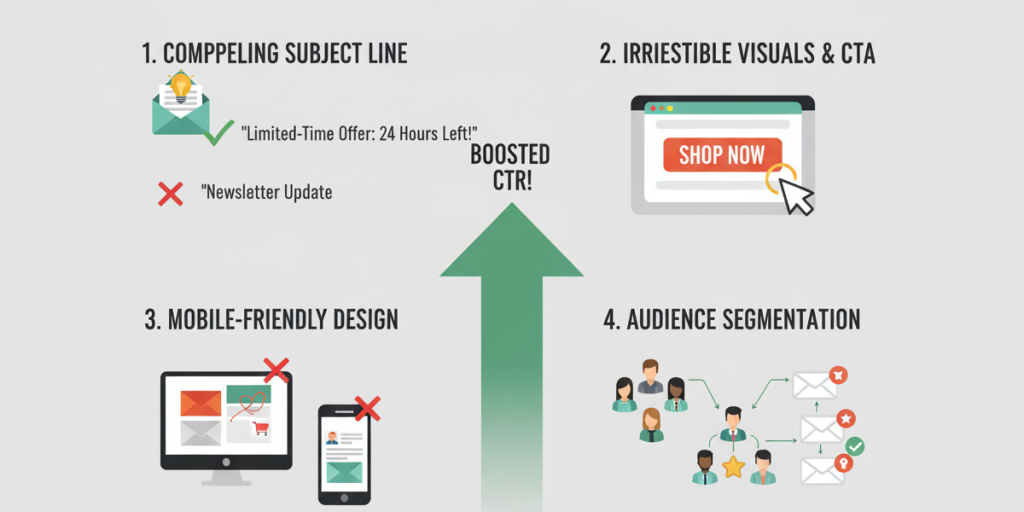
You're sending emails to thousands of subscribers, but only a small percentage are clicking. The problem isn't your content quality—it's your targeting. Behavioral segmentation allows you to move beyond basic demographics and send the right message to the right people at the right time, dramatically increasing engagement and conversions.
Why Behavioral Segmentation Becomes Essential
When subscribers stop responding to your broadcasts, it's often because they're receiving generic content that doesn't match their specific interests or engagement patterns. Behavioral segmentation addresses this by grouping subscribers based on their actual interactions with your emails and website.
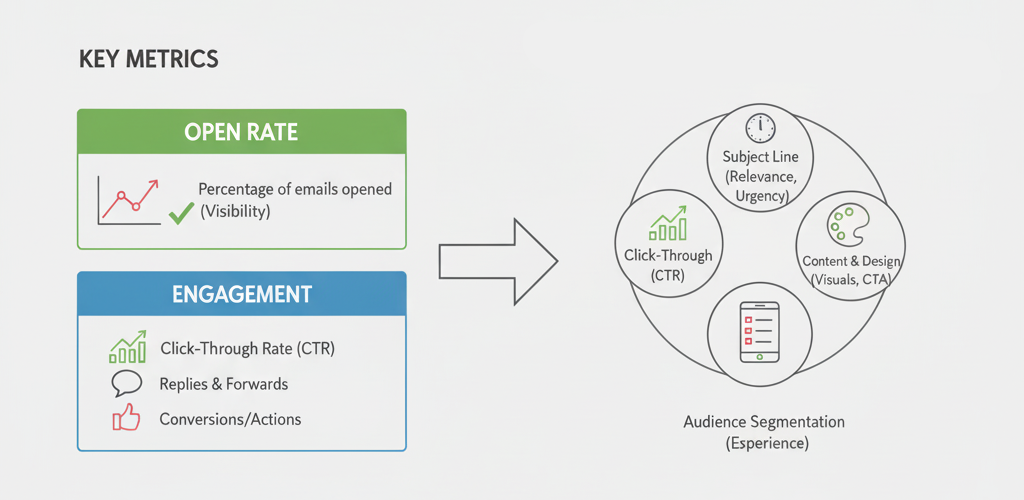
The Engagement Crisis: Typical Email Metrics
- • Average email open rate: 15-25% across industries
- • Average click-through rate: 1-5% for most businesses
- • Disengaged subscribers: 40-60% of most email lists
- • Revenue impact: Segmented campaigns generate 58% of all revenue
The 5 Core Behavioral Segments Every Business Needs
1. Highly Engaged Subscribers
These subscribers open, click, and convert regularly. They're your brand advocates and most valuable audience members.
Identification Criteria:
- • Opened 3+ of last 5 emails
- • Clicked at least 1 email in last 30 days
- • Made a purchase or completed desired action
Strategy for This Segment:
Offer exclusive content, early access, referral programs, and premium offers. These subscribers deserve special treatment and will generate the majority of your revenue.
2. Recently Disengaged Subscribers
These subscribers were previously active but haven't engaged in 30-90 days. They're at risk of becoming completely inactive.
Identification Criteria:
- • No opens or clicks in 30-90 days
- • Previously engaged regularly
- • Not on any suppression lists
Strategy for This Segment:
Send re-engagement campaigns with compelling offers, survey their interests, or remind them of the value they're missing. Use subject lines like "We miss you" or "Is this still relevant for you?"
3. Completely Inactive Subscribers
These subscribers haven't engaged with any emails for 90+ days. They're dragging down your sender reputation and metrics.
Identification Criteria:
- • No opens or clicks in 90+ days
- • Never purchased or converted
- • May have been acquired through questionable methods
Strategy for This Segment:
Run a final re-engagement campaign with a strong offer. If no response, remove them from your active list to improve overall deliverability and metrics. Consider them a lost cause after 120 days of inactivity.
4. Content-Specific Engagers
These subscribers only engage with specific types of content or topics. They have clear preferences you can leverage.
Identification Criteria:
- • Consistently clicks on specific content categories
- • Ignores other types of content
- • May have signed up for specific lead magnet or interest
Strategy for This Segment:
Create content streams based on their specific interests. Tag subscribers by the content they engage with and send them more of what they've proven to like. Personalize subject lines and content to match their preferences.
5. Frequent Openers, Rare Clickers
These subscribers regularly open your emails but rarely click through. They're interested but not compelled to take action.
Identification Criteria:
- • High open rate (50%+)
- • Low click-through rate (under 2%)
- • May be reading in preview pane without full engagement
Strategy for This Segment:
Test different CTAs, placement, and messaging. Use more compelling offers, clearer value propositions, and multiple engagement opportunities. Consider text-heavy emails with fewer distractions.
Implementing Behavioral Segmentation: Technical Setup
Tracking Required Data Points
- ✓ Email open tracking
- ✓ Link click tracking
- ✓ Website page visits
- ✓ Purchase/conversion data
- ✓ Email reply tracking
- ✓ Content category engagement
Automation Rules for Dynamic Segmentation
Set up automated rules that dynamically move subscribers between segments based on their behavior:
Example Rule: "If subscriber has not opened any emails in 45 days, move from 'Engaged' to 'Recently Disengaged' segment and trigger re-engagement campaign."
Proven Campaign Strategies for Each Segment
For Engaged Subscribers
- • Exclusive content and early access
- • Referral and loyalty programs
- • Upsell and cross-sell opportunities
- • Feedback and co-creation requests
For Disengaged Subscribers
- • "We miss you" campaigns with special offers
- • Content highlight campaigns
- • Preference center invitations
- • Win-back offers with expiration dates
Measuring Segmentation Success
Engagement Metrics
- • Segment-specific open rates
- • Click-through rates by segment
- • Conversion rates per segment
Business Impact
- • Revenue per segment
- • Reduction in unsubscribes
- • List growth from re-engagement
Efficiency Gains
- • Reduced sending to inactive users
- • Improved sender reputation
- • Higher ROI from targeted campaigns
From Broadcast to Conversation: The Power of Behavioral Segmentation
Behavioral segmentation transforms email marketing from a one-way broadcast into a dynamic conversation with your subscribers. By recognizing that different subscribers have different engagement patterns and preferences, you can deliver precisely targeted content that resonates deeply and drives action.
The initial investment in setting up behavioral segmentation pays massive dividends through dramatically improved engagement metrics, higher conversion rates, better sender reputation, and increased customer lifetime value. Start with the core segments outlined in this article, track your results, and continue refining your approach based on what you learn about your specific audience.