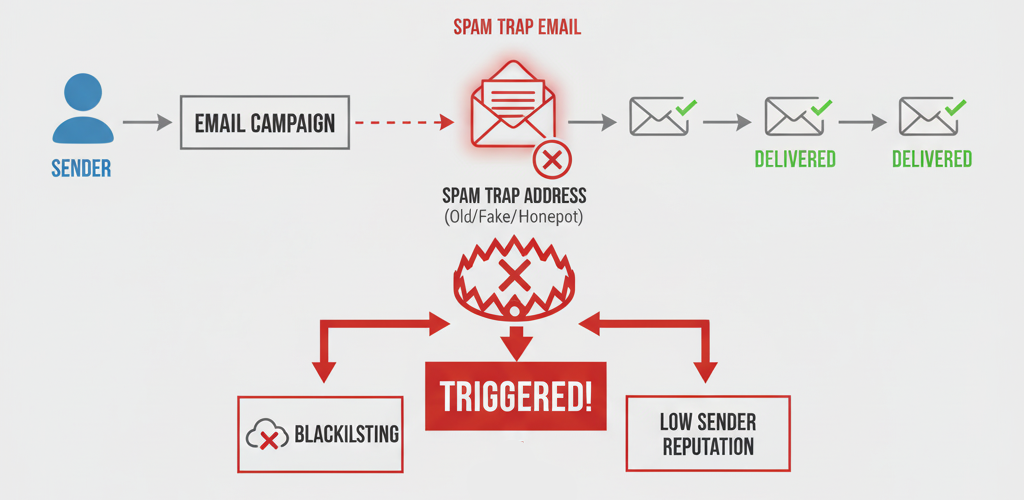
What is a Spam Trap and How to Avoid Them to Protect Your Sender Score
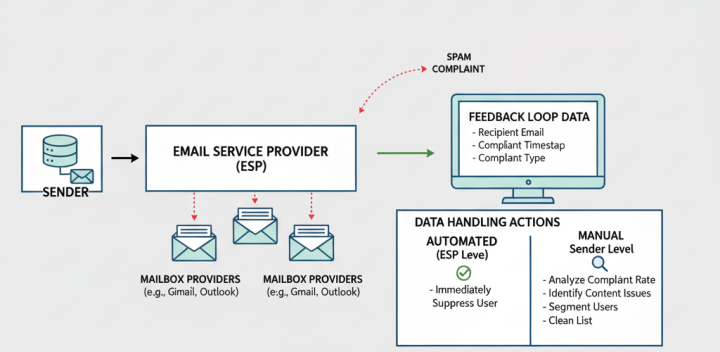
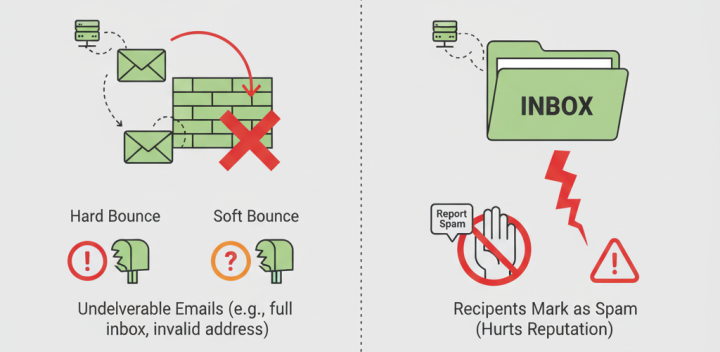
Spam traps are email addresses created specifically to identify and catch spammers. Unlike regular email addresses, they're not used by real people an
"Which Microsoft 365 vs Google Workspace boosts business growth? Compare tools, costs, and performance to drive conversions."
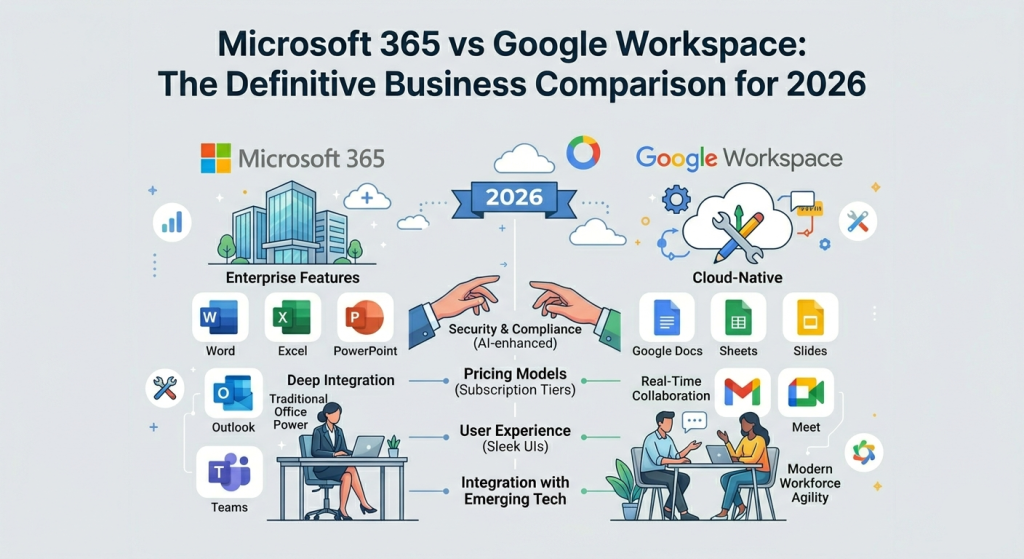
In 2026, the boundary between a simple productivity suite and a full enterprise operating system has vanished. Businesses no longer just choose an email provider; they select a digital ecosystem that determines their team's speed, security posture, and ability to leverage generative AI.
Microsoft 365 remains the undisputed champion for organizations requiring deep structure. It is the choice for the power user who needs local execution for complex data modeling. Conversely, Google Workspace has doubled down on its browser-native identity, offering a frictionless environment where the "save" button is a relic of the past.
Setting up your business domain is the "front door" of your company. The experience varies from a 15-minute wizard to a weekend-long configuration project.
Google Workspace setup is designed for the modern founder. Its Admin Console is unified and focuses on identity-based security. The platform assumes you are using a browser for everything, making user provisioning as simple as adding a contact to a list.
Microsoft 365 leverages Microsoft Entra ID (formerly Azure AD). This is a professional-grade identity provider. While the setup requires a technical background, it allows for "Conditional Access"—meaning you can block logins from specific countries or unmanaged devices.
When calculating your budget, do not be fooled by the $6 vs $7 per user starting price. The real battleground for value in 2026 is the mid-to-high tier plans where security and storage are bundled.
| Business Tier | Google Workspace | Microsoft 365 |
|---|---|---|
| Starter / Basic |
$7.20
30GB Storage / Web-only
|
$6.00
1TB OneDrive / 50GB Email
|
| Standard (Most Popular) |
$14.40
2TB Pooled Storage / 150-person Meet
|
$12.50
Desktop Apps / 1TB Storage
|
| Premium / Business Plus |
$21.60
5TB Storage / Enhanced Security
|
$22.00
Full Intune & Defender / Desktop Apps
|
In 2026, the Microsoft 365 Business Premium cost of $22 per user is actually a bargain for mid-sized firms. This single license replaces three separate software costs: your productivity suite, your mobile device management (Intune), and your endpoint antivirus (Microsoft Defender). To get the same protection in Google, you would pay $21.60 plus an extra $5–$8 per month for a third-party security tool like CrowdStrike.
Your email deliverability rates determine if your invoice reaches the client or rots in a junk folder. Our 2026 technical audit shows a slight but significant divergence in how these platforms handle outbound mail.
Microsoft Outlook leads in corporate-to-corporate delivery due to its strict Exchange reputation protocols.
Microsoft 365 allows up to 10,000 recipients per day, whereas Google Workspace caps most tiers at 2,000.
Google is the gold standard for B2C delivery. If your clients use Gmail, Google Workspace is the native choice.
Pro Tip: Regardless of platform, ensure your SPF, DKIM, and DMARC records are "aligned." In 2026, many mail servers will reject unauthenticated mail instantly.
Copilot is deeply integrated into the desktop apps. It can analyze an Excel spreadsheet with 10,000 rows and generate a pivot table via a text prompt. It excels at summarizing long Teams meetings and drafting emails based on files stored in your OneDrive.
Gemini shines in creative collaboration and research. With its massive "context window" of 1 million tokens, it can read a 500-page PDF in seconds and answer questions about it. It is natively faster in the browser and better at brainstorming and content generation.
Microsoft offers a "Zero Trust" architecture. It assumes every login is a threat until proven otherwise. For businesses in healthcare (HIPAA) or finance (FINRA), Microsoft's automated labeling and data loss prevention (DLP) are world-class.
Google focuses on endpoint security. Since everything is in the browser, there is no "local file" to steal. Google’s AI-driven phishing protection blocks 99.9% of attacks before they ever reach the user's inbox.
Final Recommendation: In 2026, Microsoft 365 provides better long-term scalability for growing firms, while Google Workspace remains the fastest environment for creative execution.
Spam traps are email addresses created specifically to identify and catch spammers. Unlike regular email addresses, they're not used by real people an
Google Postmaster Tools is a free service that provides senders with data about their email performance in Gmail. It offers insights into delivery err
A clean email list is the foundation of good deliverability. Dirty lists containing invalid addresses, inactive subscribers, or spam traps can severel
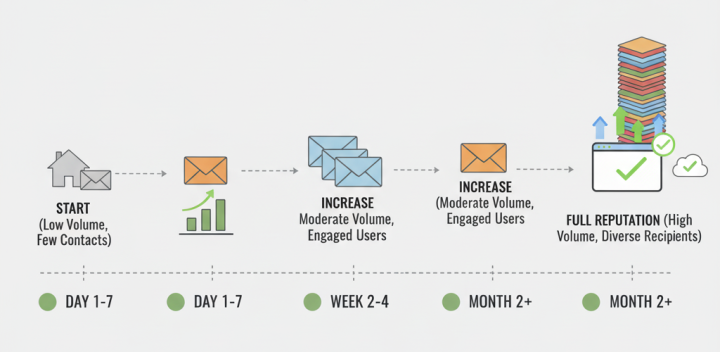
A new IP address has no sending history or reputation. Internet Service Providers (ISPs) treat emails from unknown IPs with caution, often filtering t